
How to create and manage your sales channels
Why this matters
Until now, a program could only work with broad channel types, which meant every reseller agency in your network looked the same to the platform. Sales channels change that. You define each real sales point in your organization as its own named channel, and from there you can give it its own reward rules, its own customer-facing content, and its own line in your reporting.
Your sales channels live at brand level. You create them once here, then choose which ones each program uses. This article covers creating and maintaining that catalog.
The example we use throughout these articles Insurance Co. sells through three routes: its own website, a customer hotline, and a network of around 40 independent broker agencies. Before, all three collapsed into generic types. Now Insurance Co. creates one Online channel, one Telesales channel, and a named Reseller channel for each agency.
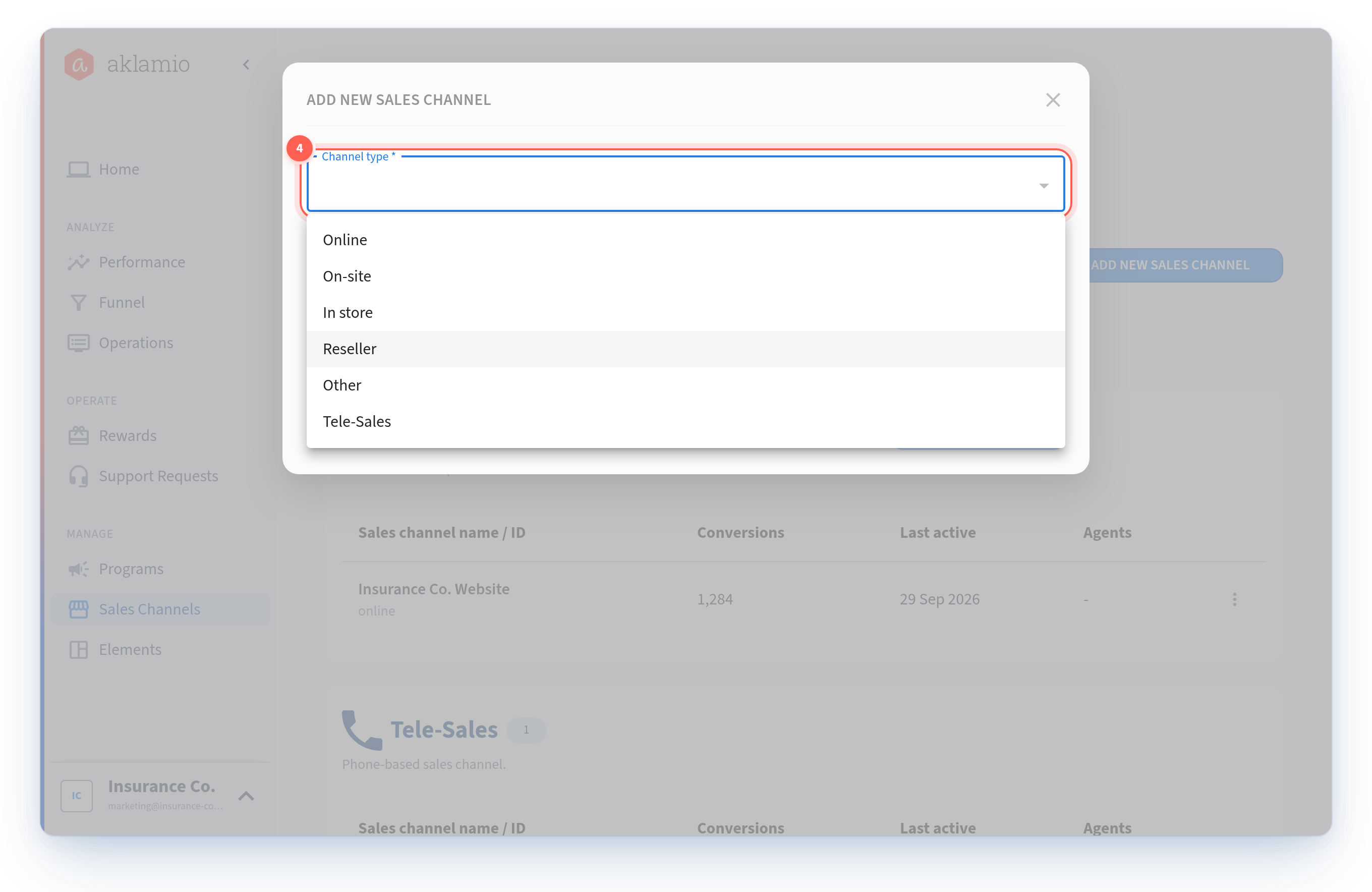
Channel types
Every sales channel has exactly one type. The type groups channels for reporting and filtering, and it decides which customer-facing options are available.
Type | Use it for |
|---|---|
Online | Your own website or web shop. A program can include only one Online channel. |
Telesales | Inbound or outbound phone sales, such as a customer hotline. |
In store | A physical location you operate, for example a branch or retail store. |
On site | Field sales that happen at the customer's location. |
Reseller | A third party selling on your behalf, such as a broker agency or retail partner. |
Others | Anything that does not fit the types above. |
There is a seventh type, Offline, which exists for historical reasons. You cannot create new Offline channels, but any existing Offline channel keeps working exactly as it did. See "What happened to my existing channels" below.
Create a sales channel
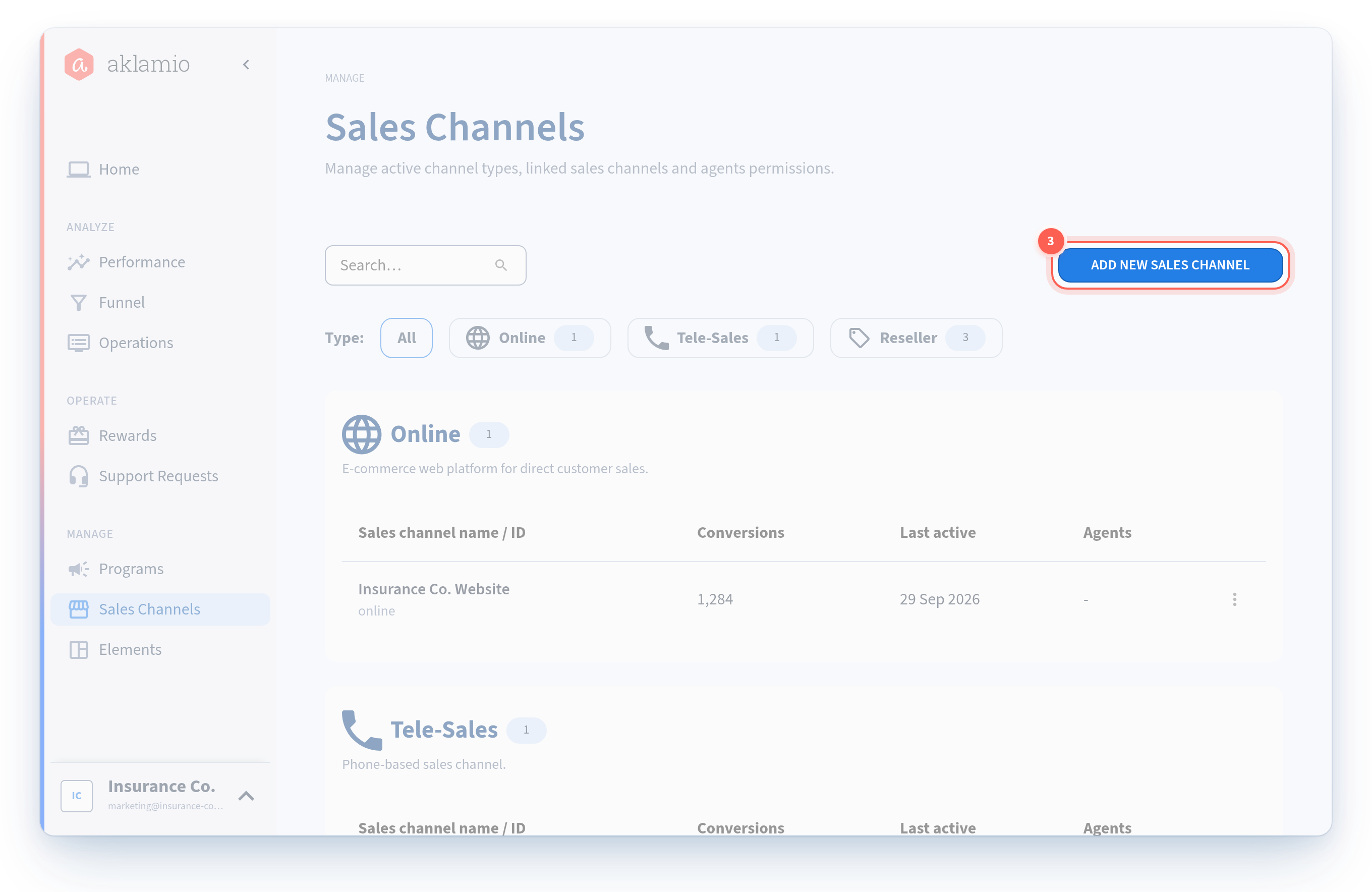
- Navigate to Sales Channels. Open Manage > Sales Channels in the main navigation. The page lists every channel defined for your brand, grouped into a separate table per channel type.
- Check what already exists. Use the Type filter at the top to jump to a single type, or the search field to find a channel by name. Each type shows how many channels it currently holds, which is a quick way to spot a type you have not set up yet.
- Click Add sales channel. The button sits at the top right of the page. A modal opens.
- Select the channel type. Pick the type that matches the real sales point. The type determines how the channel is grouped in reporting and which customer-facing options it offers, so choose it deliberately.
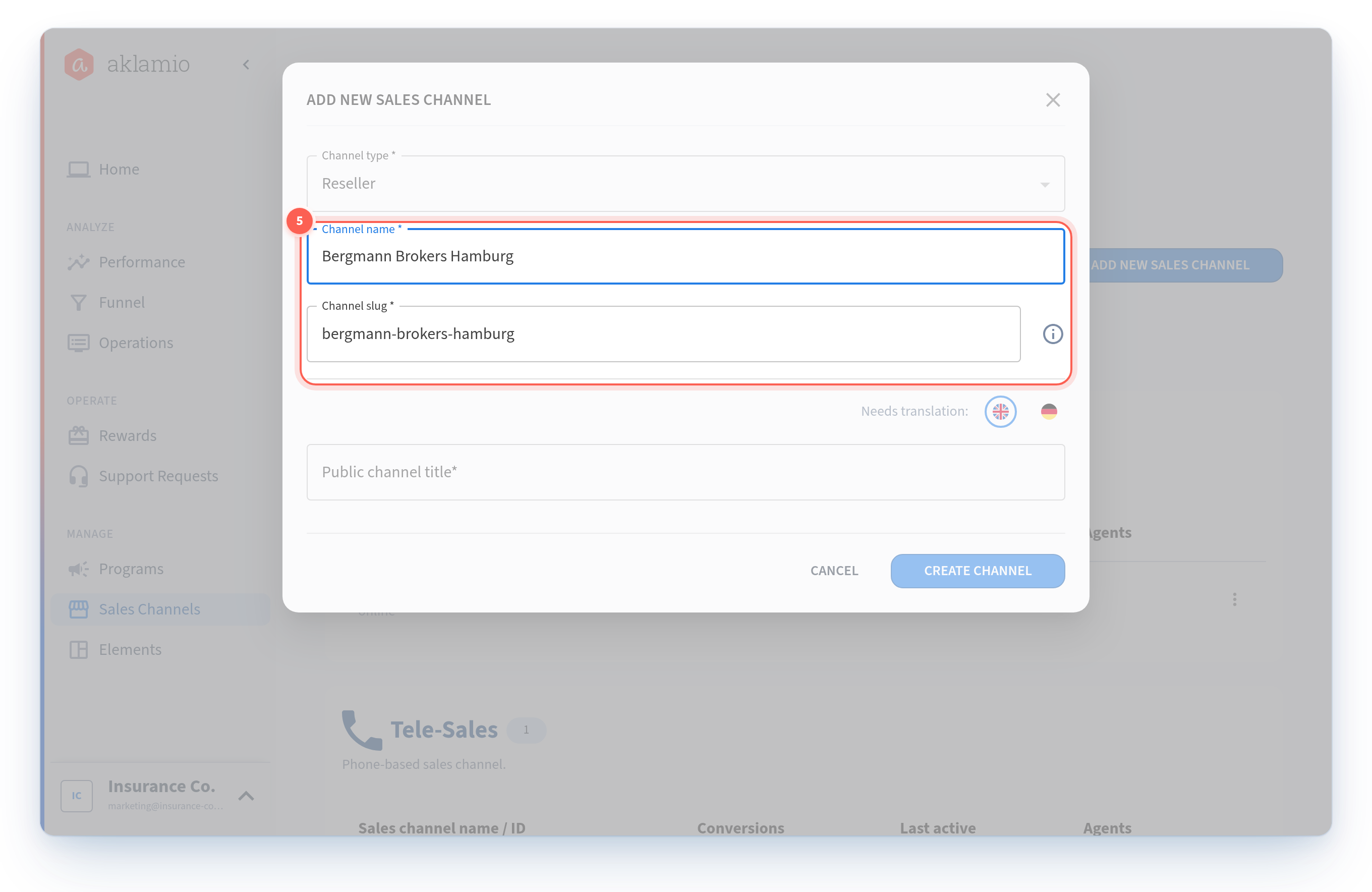
- Enter the internal name. This is the name your team sees in the platform: in the channel list, in reward rule configuration, in filters, and in exports. Make it unambiguous for whoever reads a report six months from now. Insurance Co. names its agency channels after the agency itself, for example
Bergmann Brokers Hamburg. Give each channel a distinct name. Two channels of the same type sharing a name are impossible to tell apart in a rule list or an export. - Save the channel. The channel appears in the table for its type and is immediately available to add to your programs.
- Add the customer-facing content. A channel that customers can choose in the Follow UX also needs a public title, description, and call to action. That is covered in How to set up customer-facing content for a sales channel.
What each channel is made of
Field | Who sees it | What it does |
|---|---|---|
Channel type | Your team | Groups the channel for reporting, filtering, and analysis. |
Internal name | Your team | Identifies the channel across the platform: lists, rule configuration, filters, and exports. |
Slug | Integrations and ops | A stable identifier for the channel, unique within your brand. Your integrations, CSV uploads, and agent imports use the slug to say which channel a sale came from. It does not change when you rename the channel. |
Public channel title | Your customers | The channel name customers see when they choose how to redeem. Localized. |
Channel description | Your customers | The copy explaining what happens if they choose this channel. Localized. |
CTA format, text, and action | Your customers | The action a customer takes to redeem through this channel. Localized. |
Because the slug stays stable, renaming a channel is safe. Your existing integrations keep sending sales to the right place.
Edit or rename a channel
- Find the channel in its type table, using the search field if the list is long.
- Open the actions menu at the end of the channel's row.
- Select Edit. The same modal opens with the current values.
- Change what you need and save. Renaming the internal name updates it everywhere in the platform right away. Historical rewards and sales stay attached to the channel, so your past reporting is not affected.
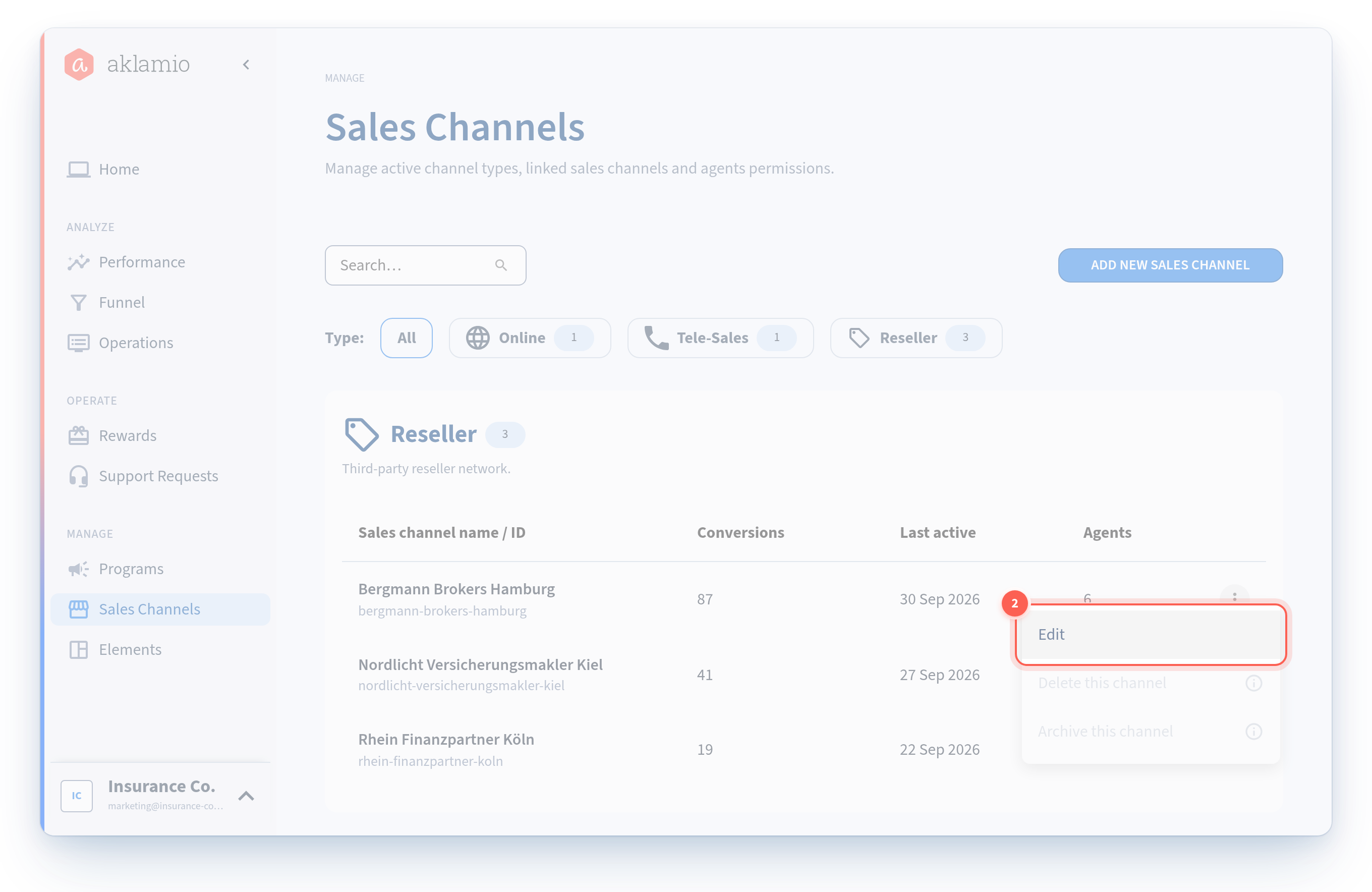
The actions menu is also where you archive, reactivate, and delete a channel. Those actions have their own rules, covered in How to archive, reactivate, or delete a sales channel.
What happened to my existing channels
If your brand was running programs before Advanced Sales Channels, you do not need to rebuild anything. Your existing setup was migrated for you:
- Each legacy channel became a named channel. Your old Online, Telesales, and Offline setups now appear in the Sales Channels list as real channels, with the channel type used as the starting internal name. Rename them whenever you like.
- Your slugs match your old channel types. A migrated Online channel has the slug
online, telesales hashotline, and offline hasoffline. Every integration, CSV upload, and agent import that already worked keeps working, unchanged. - Your existing customer-facing text came across. Public titles and content that were already configured were carried into the new localized fields.
- Your programs kept their channels. Every program that used a channel still includes it, and up to three of the channels you were already showing to customers were set as main channels automatically.
- Offline still works. You cannot create new Offline channels, but existing Offline channels, and every sale ever attributed to one, continue to work. There is nothing you need to migrate.
The one thing worth reviewing after migration is your internal names. online describes a type, not a sales point, so renaming your migrated channels to something meaningful makes every report that follows easier to read.
💡 Best practices
- Name for the report, not the setup screen. You will read these names in reward exports and finance filters long after you create them.
Bergmann Brokers HamburgbeatsReseller 12. - Create the channel before you need it, not during a launch. A channel created today is not added to your existing programs automatically, so build the catalog first, then wire it into programs.
- Use Others sparingly. Channels typed as Others are grouped together in reporting, which loses you exactly the granularity this feature exists to give you.
- Keep one channel per real sales point. Two agencies that share a channel cannot be rewarded differently or reported on separately, and splitting them later does not retroactively split their history.
🔧 Troubleshooting
I created a channel but it is not available in my program. Creating a channel at brand level does not add it to programs that already exist. Only programs created after the channel exists include it automatically. Add it in the program's sales channel settings. See How to add sales channels to a program and set your main channels.
I cannot save my channel because the identifier is already in use. Each channel has a slug that must be unique within your brand, and the slug comes from the channel name. A name that produces a slug another channel already holds is rejected, including when that other channel has been archived. Adjust the name so it resolves to a distinct slug.
I cannot find a channel in the list. Check whether it has been archived. Archived channels stay manageable in Sales Channels but are separated from your active channels, and they cannot be selected in program configuration until you reactivate them.
My colleague sees a different set of channels than I do. Sales channels are defined per brand. If you work across several brands, confirm you are both looking at the same one.
🔗 Related articles
- How to set up customer-facing content for a sales channel
- How to add sales channels to a program and set your main channels
- How to target reward rules at specific sales channels
- How to archive, reactivate, or delete a sales channel