
Guide to setting up your custom subdomain with Aklamio
How to Set Up Your Custom Subdomain
Platform: Account - Brands
Applies to: Admins, Growth Managers, Marketing Managers
Quick Summary: This article walks you through configuring a custom subdomain for your incentive program's touchpoints - including landing page, portal and referral links - directly within the Aklamio Partner Incentive (PIFC) to host your branded customer incentive program.
Instead of routing users to an external page, your portal will live under your own domain:
Your portal will be hosted on a subdomain within your domain, such as: ✅ Valid format: https://rewards.yourbrand.com/ ❌ Not valid: https://www.yourbrand.com/rewards |
Step-by-Step Configuration Guide
Setting up your subdomain is now part of the PIFC and can be completed in a few steps as shown below.
1. Add your Custom Subdomain in PIFC
- Select your Brand from the dropdown list.
- Navigate to the Advanced area of the PIFC > Subdomains.
- Read the info panel at the top of the page to get started.
- Click on "Connect Existing Subdomain Now".
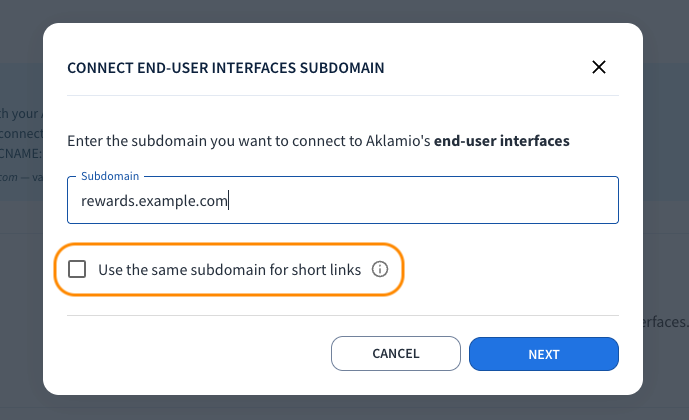
- Enter your desired subdomain (e.g.,
rewards.yourbrand.com)* and click Next.
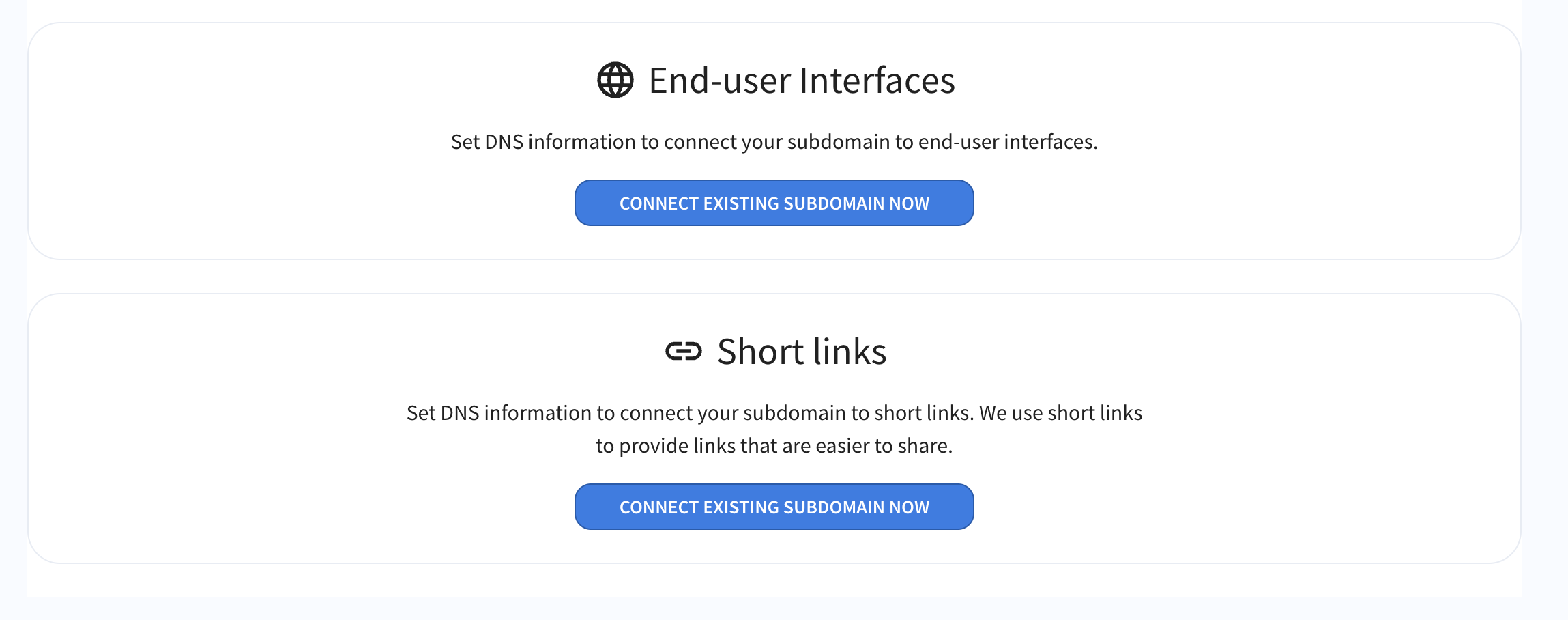
*Optional: Select the 'short links' checkbox if you would like to apply the same subdomain to your referral links.
2. Update your DNS Settings
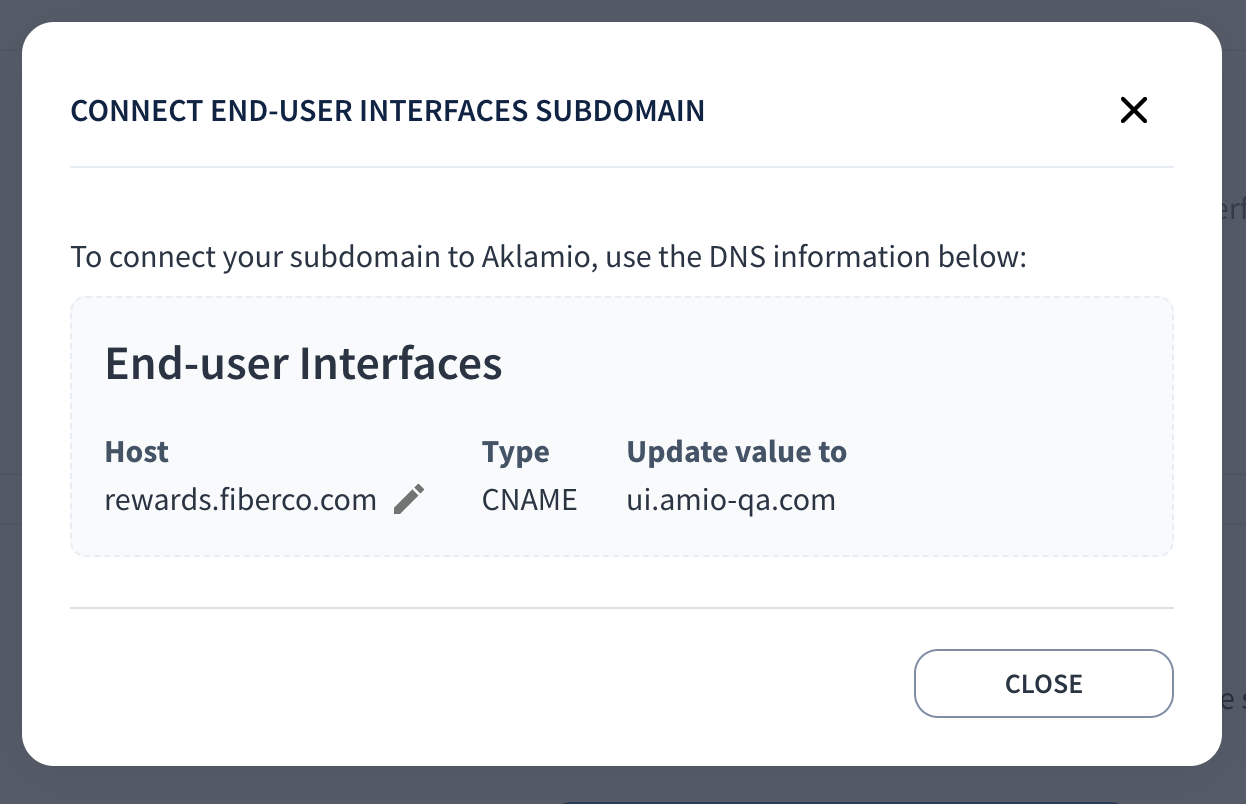
Once you've clicked 'Next' in Step 1, specific DNS records will be displayed, these need to be applied to your domain.
- Copy the generated CNAME records shown on the screen and click 'Close' when done.
- Forward these records to your internal IT or DevOps team.
- Instruct your IT team to add these CNAME records to your Domain Registrar/DNS provider (e.g., Cloudflare, Route 53, GoDaddy) to point traffic toward Aklamio's hosting infrastructure.
3. Status Update & Go-Live
Once your IT team applies the records, the Aklamio platform will scan for updates.
No need to contact our DevOps team—the statuses shown below will automatically turn from red to green as soon as the DNS changes propagate and SSL validation succeeds.
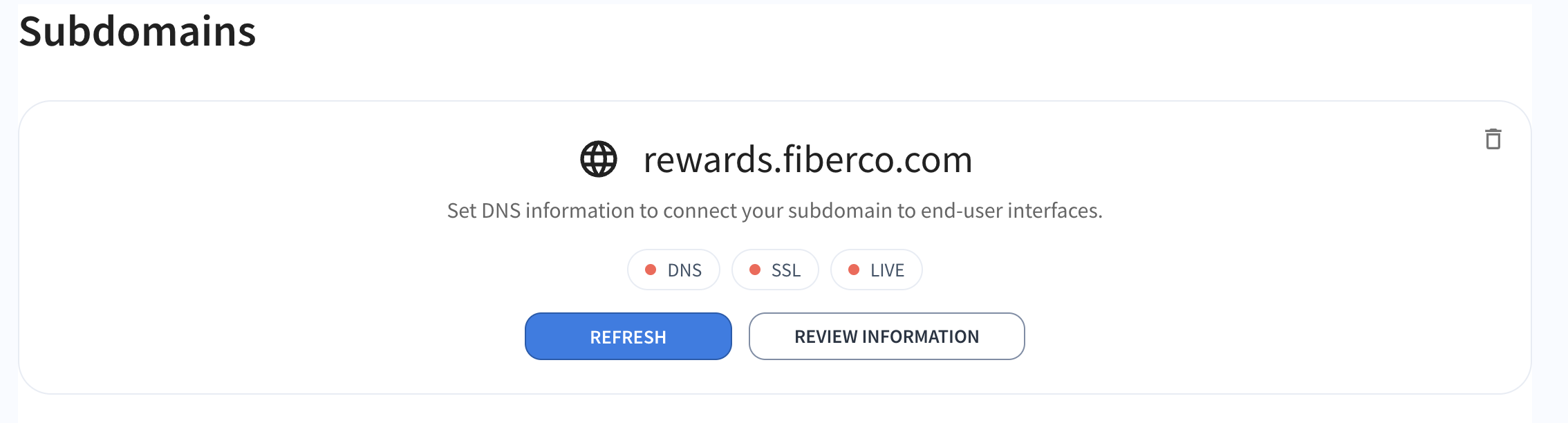
Your branded rewards portal is now live!

💡 Pro-Tips & Best Practices
Prep your IT Team Early: DNS propagation can take anywhere from a few minutes to 24 hours depending on your TTL settings. Sharing the requirements with your IT infrastructure team ahead of time keeps deployment swift.
Opt for Managed SSL*: Choosing Aklamio-Managed SSL eliminates the risk of human error or expired certificates, ensuring your portal remains securely online without ongoing maintenance from your side.
*Aklamio-Managed SSL: Aklamio handles the automated generation and renewal of your SSL certificates.
Short Links: During the configuration of a subdomain you have the option to use the same subdomain for user interfaces and short links or provide a dedicated subdomain for short links only. Our recommendation is that you use a short, brand-related URL for a smooth experience to end-users.
After configuring your short links, it will be used across your user touchpoints and emails whenever a short link is displayed, with the following pattern: <SUBDOMAIN>/r/<SHORT_CODE>.
Prep your Program's Emails: While support for branded email domains is coming soon, you can already start preparing your infrastructure for this next step. Please complete the following to configure this:
- Choose your subdomain: Confirm the prefix you would like to use (we recommend 'rewards').
- Update DNS Records: Once you confirm the subdomain, we will provide the specific CNAME and TXT records that your team will need to add to your DNS records.
Troubleshooting & Fallback
Why is my subdomain status stuck on "Pending"?
DNS propagation takes time. If it has been more than 24 hours, double-check that your IT team copied the CNAME values exactly as shown in PIFC, without missing characters or extra spaces.
What happens if your IT Team delays setting up the DNS records?
To avoid delaying your marketing launch, speak to your Aklamio Integration Manager to temporarily set up a standard Aklamio-hosted URL fallback (e.g., brand.aklamio.com). Once your custom subdomain records are fully propagated, you can switch your live traffic over seamlessly.
See Also
Setting Up Your First Referral Campaign
Understanding Brand UI Customization
For any questions or support, please contact Aklamio’s technical team.